
Setting up streaming apps on Apple hardware can sometimes feel complicated due to strict App Store policies, but learning how to setup IPTV Smarters Pro (officially distributed as Smarters Player Lite on the iOS and tvOS App Store) remains the top choice for streaming live television, major sports leagues, and on-demand video libraries in 2026.
Whether you want to enjoy smooth 4K streams on your Apple TV box or watch favorite channels on an iPhone or iPad, this complete guide covers everything you need to setup IPTV Smarters Pro quickly, safely, and without playback errors.
Looking for other devices? Check out our guides on how to setup IPTV on Firestick or how to install TiviMate on Android TV.
Why Choose and Setup IPTV Smarters Pro for Apple Devices?
Unlike generic video players, Smarters Player Lite is engineered specifically to handle structured streaming protocols like Xtream Codes API and M3U playlists efficiently. When you setup IPTV Smarters Pro on your Apple hardware, you unlock several powerful features:
- Sleek User Interface: Fully optimized interface designed for retina screens and large smart displays.
- Automated EPG (TV Guide): Automatically fetches electronic program schedules so you never miss live games or episodes.
- Multi-Screen Feature: Watch up to four sports matches or live news broadcasts simultaneously on a single divided display.
- Parental Controls & Group Sorting: Organize channels by country, category, and lock adult or sensitive groups with PIN codes.
- External Player Integration: Seamlessly switch between the native Apple AVPlayer and high-performance engines like VLC Media Player.
How to Install Smarters Player Lite on iPhone & iPad
Because Apple maintains strict naming and distribution rules across its catalog, the genuine software developed by WHMCS SMARTERS is listed on the Apple App Store under the title Smarters Player Lite.
- Unlock your iPhone or iPad and open the official Apple App Store.
- Tap the search icon in the bottom right corner and search for Smarters Player Lite.
- Verify that the developer name is WHMCS SMARTERS and tap Get to download and install.
- Once installation finishes, launch the app from your home screen.
- Accept the terms of service to proceed to the main playlist dashboard where you will setup IPTV Smarters Pro.
Step-by-Step: Setup IPTV Smarters Pro via Xtream Codes API
Using the Xtream Codes API login route is the most stable and recommended method. Compared to standard M3U links, this method loads your channel list much faster, organizes series cleanly, and refreshes schedules automatically.
- Launch the application and select the option labeled Login with Xtream Codes API to begin the setup IPTV Smarters Pro procedure.
- Enter the connection credentials provided in your subscription email:
- Any Name: Choose a clear nickname for your playlist (e.g., Home IPTV or Sports Streams).
- Username: Type your assigned subscriber username accurately (it is case-sensitive).
- Password: Carefully enter your account password without adding any unintended blank spaces.
- Server URL: Enter your provider’s complete portal domain, including
http://and the relevant port number (e.g.,http://portal-line.com:8080).
- Verify every line to prevent authentication loops, then tap Add User.
- Allow the app 20 to 45 seconds to download your channels, movie lists, and TV series guide.
- Once the download reaches 100%, your setup IPTV Smarters Pro configuration is complete, and you can start streaming immediately.
How to Setup IPTV Smarters Pro on Apple TV (tvOS)
Apple TV delivers outstanding color processing and silky-smooth refresh rates for live sports streams. You can configure your service using either of the following two methods:
Method 1: Direct Installation from tvOS App Store
- Turn on your Apple TV (HD or 4K) and launch the built-in tvOS App Store.
- Navigate to the search tab and enter Smarters Player Lite using your remote or iPhone keyboard.
- Select the application and click Get to download it directly onto your Apple TV interface.
- Open the newly installed app and choose Login with Xtream Codes API to setup IPTV Smarters Pro.
- Input your account parameters (Server URL, Username, and Password) and press Add User to sync your channel index.
Method 2: Wireless AirPlay Mirroring (Zero Setup)
If the app is unavailable or restricted in your regional Apple TV App Store, you can cast your streams directly from your iPhone or iPad without quality loss:
- Confirm that both your mobile Apple device and your Apple TV are connected to the exact same Wi-Fi network.
- Launch Smarters Player Lite on your phone and start streaming your favorite channel.
- Tap the AirPlay icon found directly on the video playback menu.
- Select your Apple TV from the discovered device list to beam uninterrupted high-definition video onto your TV screen.
Performance Optimization & Troubleshooting Guide
If you experience buffering, missing categories, or audio desync after you setup IPTV Smarters Pro, applying these adjustments will resolve most everyday issues:
- Fix Buffering & Audio Desynchronization: Head into Settings > Player Selection inside the application. Switch your playback engine from Native to Built-in (VLC Player). This enables hardware decoding and supports a broader range of audio codecs like AAC and AC3.
- Correct Missing EPG Guides: Navigate to Settings > Refresh EPG and select Refresh Now. This forces the player to fetch the latest schedule table directly from the server.
- Fix “Invalid Details” Prompt: Providers frequently update server addresses. Make sure you included the exact protocol (
http://vshttps://) and confirm that there are no accidental spaces copied along with your password. - ISP Throttling Protection: If channels start freezing during high-traffic live events, your internet service provider may be throttling high-bandwidth streaming ports. Installing an encrypted VPN with WireGuard protocol solves this instantly.
Frequently Asked Questions
Is IPTV Smarters Pro completely free to use on Apple devices?
Yes, Smarters Player Lite is free to download and use for all standard live channel and VOD streaming. A one-time in-app upgrade is available if you want advanced multi-screen layouts.
Does Smarters Player Lite include preloaded live channels?
No. IPTV Smarters Pro is exclusively a third-party media player and management interface. It does not sell, host, or link any media streams. You must connect it to your own valid playlist.
Can I add an M3U playlist link instead of using Xtream Codes?
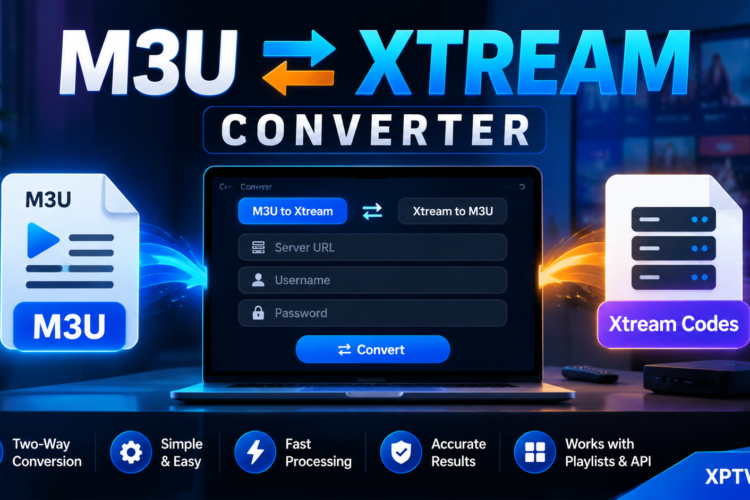
Yes. If you prefer to setup IPTV Smarters Pro with an M3U line, simply select Load Your Playlist or File/URL, paste your full M3U URL, assign an easily recognizable name to the profile, and tap Add User.